Data collection and privacy
HowdyGo processes data about two groups of people: the team members who sign in to create demos, and the visitors who view them. Your organization controls whether HowdyGo can identify visitors and retain their IP addresses.
Control viewer data collection
Admins can open Settings > Data & privacy to manage two independent controls.
Editors can view the current settings, but only an Admin can change them.
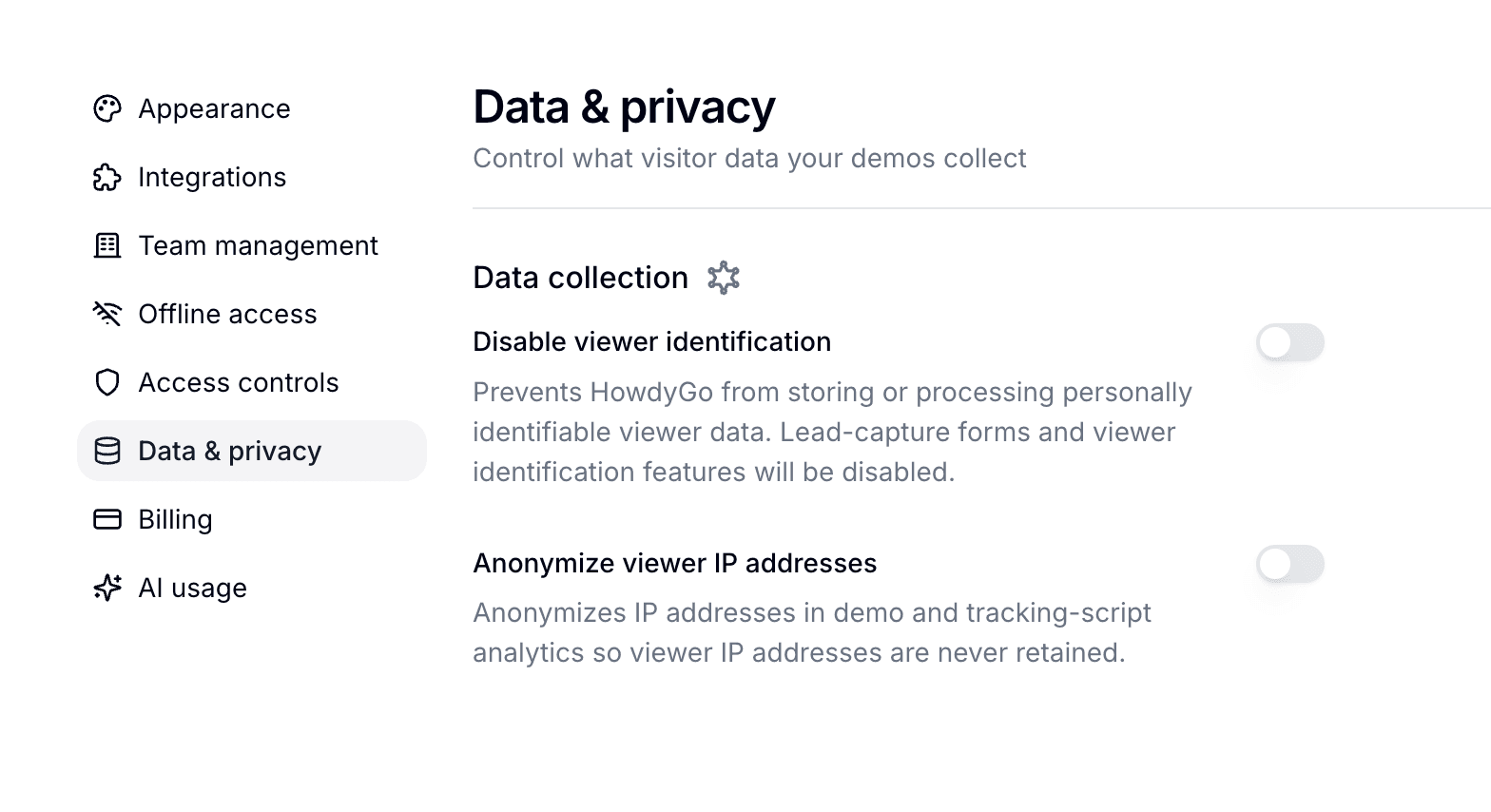
Disable viewer identification
Enable Disable viewer identification when you do not want HowdyGo to store or process personally identifiable viewer data.
When this setting is enabled:
- HowdyGo disables lead-capture forms and does not store submissions.
- HowdyGo does not retain viewer identity supplied through URL parameters, the SDK, or the Tracking Script.
- HowdyGo does not create identified-viewer records or identity cookies.
- HowdyGo does not forward personally identifiable viewer data to connected integrations.
Anonymous session and engagement analytics continue to work, with identity removed from those events.
Anonymize viewer IP addresses
Enable Anonymize viewer IP addresses when you want demo and Tracking Script analytics without retaining source IP addresses. This setting applies whether or not viewer identification is enabled.
Editors
Editors are the Admins and Editors who sign in to HowdyGo to create, edit, and manage demos. We collect the account data needed to provide the service:
- Name and email address for authentication, team management, and support
- Authentication identifiers from Google, Microsoft, or your SSO provider
- Screen recordings captured through the Chrome extension, but only while a recording is in progress
HowdyGo stores editor data in its production systems and treats it as confidential. We do not sell this data or use it for advertising.
Viewers
Viewers are the prospects, customers, or website visitors who interact with a demo. Unless you choose to identify them, HowdyGo does not know their name or email address.
HowdyGo records the following for standard demo analytics:
- Session events such as a demo opening, a step progressing, or a demo completing
- Aggregate analytics, including impressions, engagement, and completion
- A session identifier used to connect events from the same viewing session
- The source IP address used to process analytics, unless your organization enables IP anonymization
You can configure each Tracking Script key to assign a persistent anonymous visitor ID or capture traits from your website.
When a viewer becomes identified
A viewer becomes an Identified Viewer when your organization supplies identifying information through one of these methods:
- Lead capture: The viewer submits a lead-capture form inside a demo.
- URL parameter: A demo link contains an email parameter, usually added by your email or campaign platform.
- Manual SDK identification: Your app calls
identify()for a signed-in user. - Tracking Script: Your website captures identity from a CRM cookie, form submission, or connected customer-data tool.
Connected CRM and analytics integrations may receive this data according to their own privacy policies. HowdyGo does not enrich viewer profiles from third-party data sources.
Data summary
| Data type | Editors | Unidentified viewers | Identified viewers |
|---|---|---|---|
| Name, email, and supplied contact details | Yes | No | Only the values your organization supplies |
| Session and engagement analytics | Yes | Yes | Yes |
| Viewer IP address | Not applicable | Processed unless anonymized | Processed unless anonymized |
| Persistent visitor identity | Account identity | Only if enabled in the Tracking Script | Yes |
| Payment card details | No | No | No |
Our payment subprocessor handles billing. Payment card details do not pass through HowdyGo’s systems.
Reduce or avoid viewer identification
To reduce the viewer data HowdyGo stores:
- Enable Disable viewer identification for the organization.
- Enable Anonymize viewer IP addresses independently.
- Leave identity-related Tracking Script options turned off.
- Avoid email parameters and manual SDK identification.
- Use anonymous demo analytics without lead-capture forms.